Used-laptop checks are most effective when they follow a prepared order. Without a checklist, it is easy to spend time looking at cosmetic marks and forget a faulty port, weak battery or incorrect storage capacity. Bring the accessories you expect to use and allow enough time for the machine to start, connect, charge and run under a normal workload.
If buying remotely, request clear photographs, system screenshots and written answers. These do not replace a return period, but they reduce ambiguity about the unit being offered.
Confirm identity before testing performance
Record the complete model number, serial number and charger rating. Compare the model with the manufacturer's published documentation to confirm screen size, supported charger and original configuration options. Then open the operating system's hardware information and verify the advertised processor, installed memory and storage.
A family label is not specific enough. The same laptop name may have several generations and regional configurations. If the serial label is missing, damaged or inconsistent with system information, ask for an explanation before proceeding.
Inspect the structure from every side
Begin with the laptop switched off. Look for cracks, dents, missing screws, gaps between panels and uneven feet. Open the lid slowly and feel for loose, stiff or clicking hinges. A hinge problem can damage the display cable or casing even when the screen still works.
Check the display under a plain light and dark background. Look for lines, flicker, pressure marks, colour patches and pixels that remain fixed. Examine the keyboard for worn or missing keys, then test every key. Check the touchpad across its full area and confirm that physical or integrated clicks respond consistently.
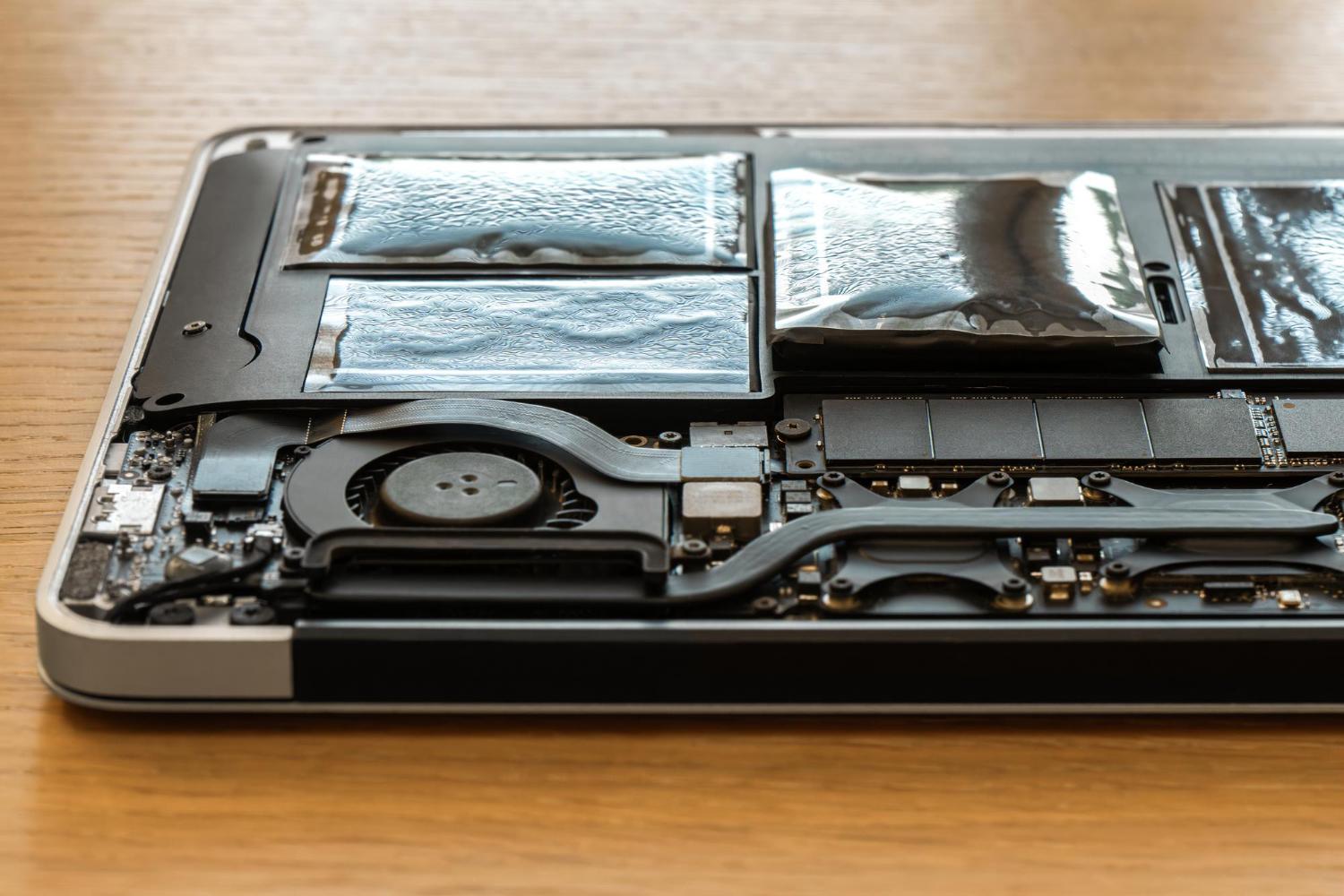
Inspect charging, USB, audio, network and video ports for looseness or bent material. Smell and visible residue can sometimes reveal overheating, smoke or liquid exposure. A swollen battery may lift the touchpad or separate the lower case; stop using a machine that shows swelling.
Run practical tests, not only diagnostics
Connect to Wi-Fi, play audio, record through the microphone and open the webcam. Test Bluetooth if it matters to your accessories. Plug a known USB device into each port and connect an external screen when video output is important. Check the charger from more than one cable position without forcing the connector.
Restart the laptop, then test sleep and wake. Use it unplugged while opening several browser tabs, playing a video or running a normal application. Listen for unusual fan or drive noises and watch for unexpected shutdowns, display loss or severe heat. Built-in diagnostics are useful, but real interaction can expose intermittent faults they miss.
The battery-health guide for used laptops explains capacity reports and real-world testing in more detail.
Review storage, software and upgrade options
Check storage health with a reputable diagnostic method and confirm that the drive capacity matches the listing. Make sure the operating system activates normally and can receive updates. Remove uncertainty about administrator passwords, firmware passwords, workplace management locks or accounts belonging to the previous owner.
Confirm whether the laptop can be reset without losing necessary licensing. If future upgrades matter, check whether memory and storage are replaceable and whether opening the case affects the warranty. The guide to choosing laptop specifications for work and study can help decide whether the current configuration is enough.
Finish with written condition and support terms
Ask the seller to record known defects, included accessories, battery condition and warranty coverage on the invoice or order. Photograph the serial number and retain the original listing. Confirm the return deadline and test the machine promptly after delivery.
If comparing a particular product family, use the Lenovo laptop guide for Malaysian buyers to interpret model ranges and specifications. Apply the same physical and functional checks regardless of brand.
Complete the inspection again when a laptop arrives by courier. Packaging can hide impact damage that was not present in listing photographs. Record the unopened parcel when damage is visible, check the charger and serial number against the order, and report discrepancies within the stated period. Avoid carrying out upgrades or opening the case until you understand whether doing so changes the return or warranty terms.