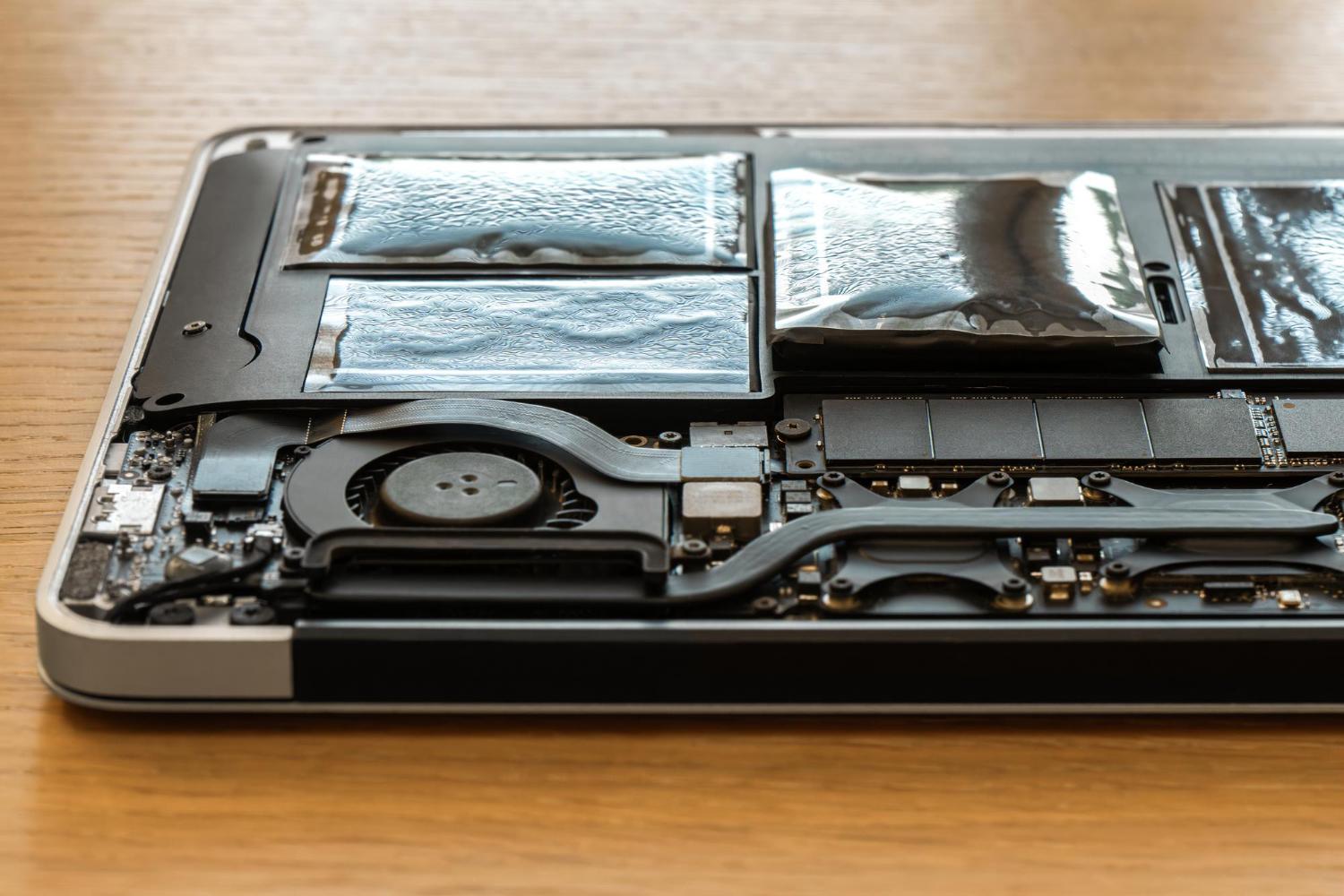
A laptop can display 100 percent charge and still run for a short time away from the socket. The percentage describes how full the battery is relative to its current usable capacity. Battery health asks a different question: how much capacity remains compared with when the battery was new, and how reliably can it deliver that energy?
Because batteries age through time, heat and charging cycles, their condition is a normal part of evaluating a used machine. A weak battery does not always make a laptop unusable, but it should be disclosed and included in the price decision.
Battery health combines capacity and behaviour
Design capacity is the amount of energy the battery was intended to hold when new. Full-charge capacity is the system's estimate of what it can hold now. Comparing the two gives a useful health indication, although software estimates are not laboratory measurements and can change after calibration or updates.
Cycle count records how many equivalent full charge-and-discharge cycles the battery has completed. One cycle can be accumulated through several partial uses. A higher count suggests more use, but heat, storage and charging patterns also influence ageing. Do not judge capacity from cycle count alone.
Read the report with the charger disconnected
Many operating systems or manufacturer tools can generate battery information. Confirm the battery is detected, then record design capacity, full-charge capacity and cycle count if available. Look at recent usage estimates, but remember that previous workloads may differ from yours.
A report can be inaccurate when firmware, replacement batteries or calibration are involved. Ask whether the battery is original and whether it has been replaced. A compatible replacement may work well, but its quality and safety are not proven by a new-looking capacity figure.
Observe charging and real unplugged use
Charge the laptop and check that the percentage rises steadily without repeated disconnection. Then use the machine unplugged at a realistic brightness while running the type of workload you expect. Watch for sudden percentage drops, unexpected shutdowns and a remaining-time estimate that changes sharply.
Battery runtime depends on screen brightness, processor activity, wireless use, video, background updates and power settings. A single runtime number is not universal. The objective is to see whether the battery behaves consistently and provides enough mobility for your routine.
Sleep can also consume energy. Test whether the laptop wakes normally after being left unplugged. If it becomes hot inside a bag or loses substantial charge while sleeping, the issue may involve power settings, drivers or battery condition.
Take swelling and abnormal heat seriously
Battery swelling can push against the touchpad, keyboard or lower cover. Signs include a raised touchpad, a case that no longer closes evenly or a laptop that rocks on a flat surface. Do not press a swollen area or continue charging the machine. Arrange safe assessment and replacement through a qualified service provider.
Unusual odour, excessive local heat, leakage or physical damage also requires caution. Battery replacement should use a suitable part and responsible disposal channel. Do not treat a very cheap unknown battery as an automatic solution.
Include battery expectations in the buying decision
If the laptop will remain on a desk, reduced runtime may be acceptable when the battery is physically safe and the price reflects its condition. Mobile students and field workers should place more value on verified capacity and replacement availability. Check whether the battery is internal, how difficult replacement is and what the part is likely to cost.
Apply the same standard to any brand. The Lenovo laptop buying guide for Malaysia places battery condition alongside model family, specifications and warranty. For a complete physical review, continue with how to check a used laptop before purchase.
Power adapters deserve a separate check. Confirm the output rating and connector match the laptop, and inspect the cable for exposed insulation, sharp bends or intermittent charging. A low-powered adapter may charge slowly or allow the battery to drain under load. USB-C charging does not mean every USB-C charger is suitable, so verify the required power standard and wattage for the model.
Include that adapter assessment in the final condition record.